BeebFileUtilities
The app can be installed from:

Requires Windows 10 (build 1809) or later, or Windows 11.
Command-line tools for viewing BBC Micro files and disk images
Windows Command Line Microsoft Store BBC Micro FreeI recently got round to repairing and re-capping the power supply in my BBC Micro Model B, which I bought 40 years ago. Of course I started grabbing various programs and data from it, transferring to my Windows PC as .dsd files, then using those with BeebEm, and I bought a copy of BBC BASIC for Windows so that I could play with that too. I wanted some command-line utilities to display the content of .dsd files, and decode BBC BASIC files along with "PRINT#"-type BBC data files, so I wrote them as console commands. The utilities are:
PRINT# type data files as plaintext, HTML, or BBCode.*CAT-style output of .SSD, .DSD or .IMG disk images, with the ability to export files individually, import files back in, delete files, and dump sectors.The most up to date version of this information will always be the online version.
This utility displays a tokenized, binary BBC Micro BASIC file as text, HTML, or BBCode for bulletin board posts. If there is "hidden data" after the BASIC program, that will be displayed in hex, as will control characters.
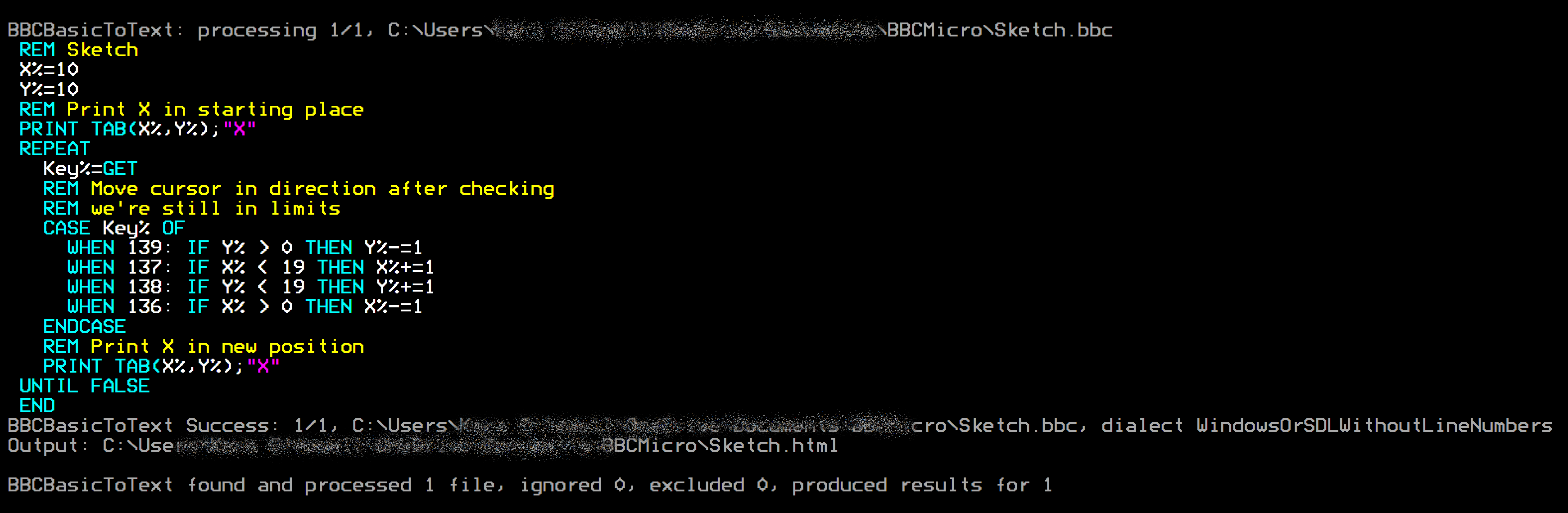
Here's an example of HTML output using the Sketch program from bbcbasic.co.uk as input, saved on the PC in BBC BASIC tokenised binary as Sketch.bbc:
C:\...\WelcomeDiskFiles> bbcbasictotext Sketch.bbc Sketch.html
BBCBasicToText found 1 file matching Sketch.bbc
Escape non-printable characters: True

BBCBasicToText: processing 1/1, C:\Users\...\BBCMicro\Sketch.bbc

BBCBasicToText Success: 1/1, C:\Users\...\BBCMicro\Sketch.bbc, dialect WindowsOrSDLWithoutLineNumbers

Output: C:\Users\...\BBCMicro\Sketch.html

BBCBasicToText found and processed 1 file, ignored 0, excluded 0, produced results for 1
 X%=10
 Y%=10
 REM Print X in starting place
 PRINT TAB(X%,Y%);"X"
 REPEAT
   Key%=GET
   REM Move cursor in direction after checking
   REM we're still in limits
   CASE Key% OF
     WHEN 139: IF Y% > 0 THEN Y%-=1
     WHEN 137: IF X% < 19 THEN X%+=1
     WHEN 138: IF Y% < 19 THEN Y%+=1
     WHEN 136: IF X% > 0 THEN X%-=1
   ENDCASE
   REM Print X in new position
   PRINT TAB(X%,Y%);"X"
 UNTIL FALSE
 END
It tries to detect the indentation style automatically based on whether the file is an Acorn format BASIC file or
BBC BASIC for Windows/SDL, but you can override this with the /w or --windows-style-indent
switches. Indentation is applied to FOR, REPEAT,
WHILE, and CASE, and it respects
EXIT REPEAT etc. You can turn indentation off entirely with --noindent.
I extracted the program from the Welcome disk using:
C:\...\WelcomeDiskFiles> bbcreaddiskimage Welcome.ssd --export=*.*welcome*
The leading *. there says "in any directory" — this particular file lives in directory
W, and a pattern without a directory looks only in $, just as it would on the Beeb itself.
then converted it to BBCode using:
C:\...\WelcomeDiskFiles> bbcbasictotext 0_W.WELCOME *.bbcode /w
BBCBasicToText found 1 file matching 0_W.WELCOME
Escape non-printable characters: True

BBCBasicToText: processing 1/1, C:\...\WelcomeDiskFiles\0_W.WELCOME
BBCBasicToText Success: 1/1, C:\...\WelcomeDiskFiles\0_W.WELCOME
Output: C:\...\WelcomeDiskFiles\0_W.WELCOME.bbcode
This produced:
  10 REM New version of 'INTRO' from
  20 REM Welcome pack
  30 REM By John Coll & Andrew Gordon
  40 ON ERROR GOTO 630
  50 ENVELOPE 1,1,-RND(50),-RND(50),-RND(45),255,255,255,127,0,0,-127,127,0
  60 SOUND 1,1,255,255
  70 DIM COM%11
  80 M0=650:M1=500:M2=708:M3=104:M4=288:M5=550:M6=720:M7=450:M8=5
  90 MODE5
 100 VDU5
 110 VDU23,255,255,255,255,255,255,255,255,255
 120 GCOL0,135
 130 CLG
 140 VDU18,0,129,24,128;128;1152;896;16,18,0,135,24,256;256;1024;768;16,26
 150 FORI%=M1 TO M2 STEP M3:PROCSWOOSH(M0):PROCLETTER:NEXT
 160 $COM%="DISC SYSTEM"
[Snip rest of "Welcome" BASIC program]
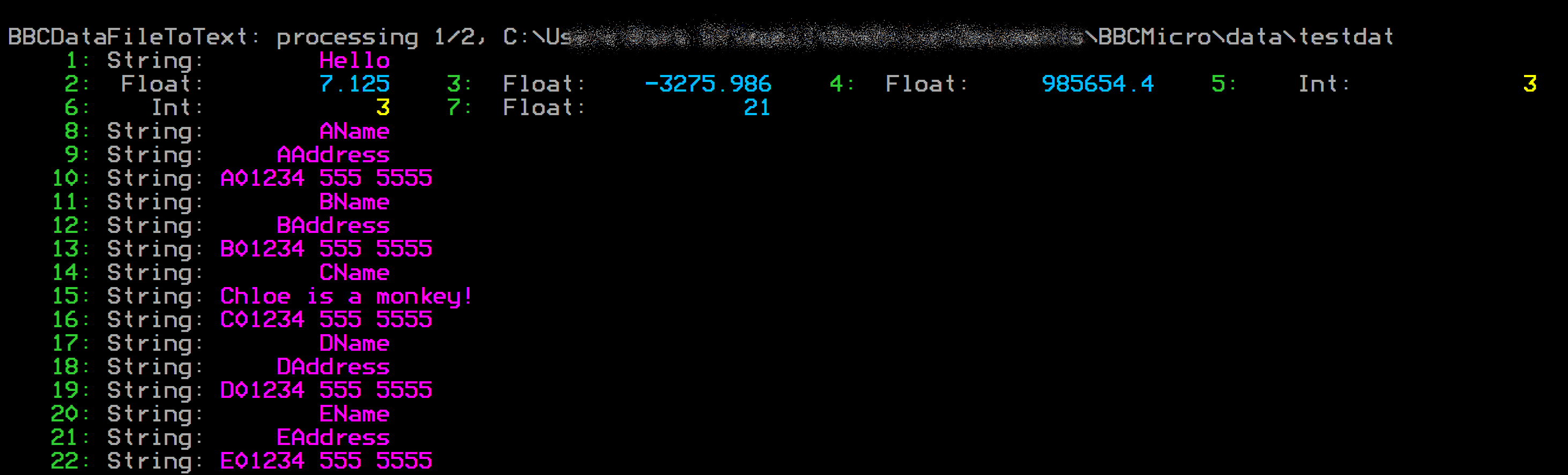
Show BBC PRINT#-type data files as text, HTML, or BBCode, with hex and ASCII dump options.
This can actually be used as a "hex dump" program for any PC file. I have
defined in my command terminals for that reason.
> hex binaryfile.bin binaryfile.bbcode
BBCDataFileToText: processing 1/1, C:\Users\...\binaryfile.bin
000000 89 50 4E 47 0D 0A 1A 0A 00 00 00 0D 49 48 44 52 00 00 09 1F 00 00 07 3F 08 06 00 00 00 A6 E8 13
000020 04 00 00 00 01 73 52 47 42 00 AE CE 1C E9 00 00 00 04 67 41 4D 41 00 00 B1 8F 0B FC 61 05 00 00
000040 00 09 70 48 59 73 00 00 24 E8 00 00 24 E8 01 82 63 05 1C 00 00 FF A5 49 44 41 54 78 5E EC FD 0B
...
052040 48 E4 23 00 00 00 00 00 00 00 00 20 91 8F 00 00 00 00 00 00 00 00 80 60 3B 5C 38 F0 C2 B6 D2 6F
052060 73 00 00 00 00 49 45 4E 44 AE 42 60 82
BBCDataFileToText Informational: 1/1, binaryfile.bin is not BBC BASIC PRINT# data file.
Output: C:\Users\...\binaryfile.bbcode
BBCDataFileToText found and processed 1 file, ignored 0, excluded 0, produced results for 1
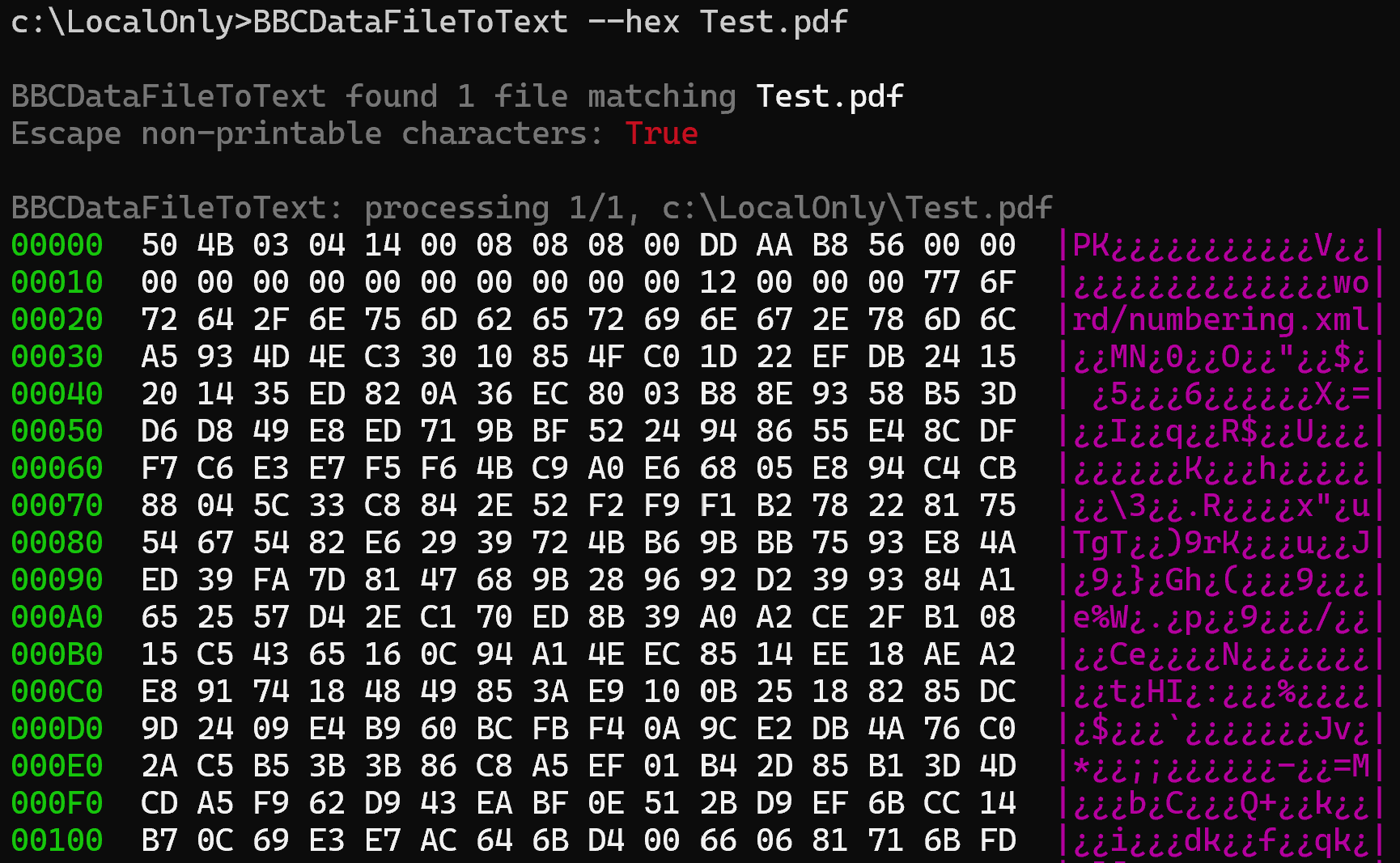
The BBCDataFileToText utility makes a handy, general-purpose "hex dump" program. For example, if you enter
BBCDataFileToText --hex Test.pdf*
you will see output similar to that shown below
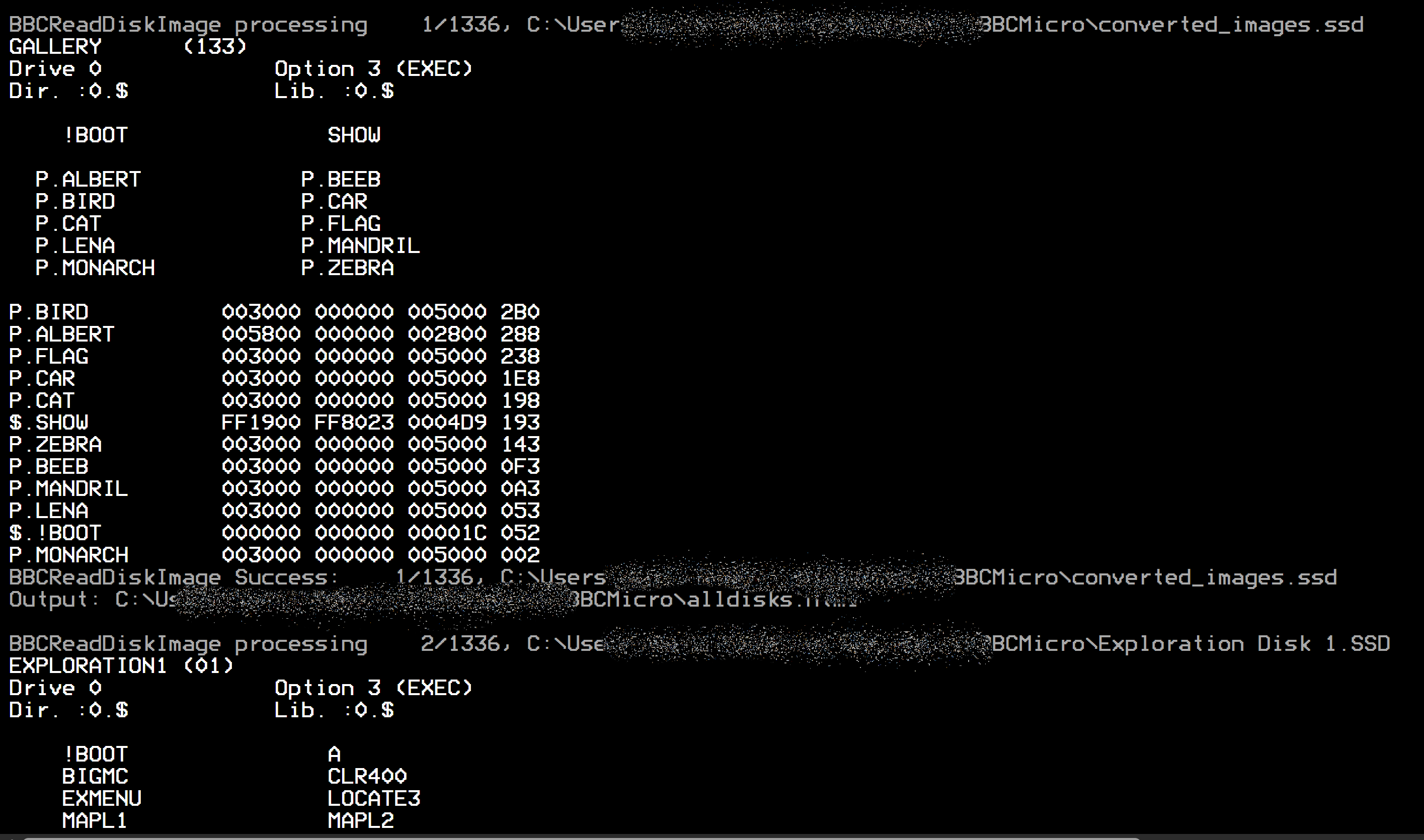
Display *CAT-style output of .SSD, .DSD or .IMG disk images, with
the ability to export files individually, import files back into an image, delete files from one, and dump raw
sectors.
.IMGA .SSD is single-sided and a .DSD double-sided, as their names say, and those are taken at
their word. A .IMG — the extension BeebEm and several other tools use — says nothing either
way, so the image itself is asked instead.
The catalogue records how many sectors there are on one side of the disk, and multiplying that by the 256-byte sector size gives the length a single-sided image of that disk would have. Anything longer must hold a second side. A 200 KB image whose catalogue reports 800 sectors is therefore an 80-track single-sided disk, where a 200 KB image reporting 400 sectors is a 40-track disk with two sides. The length on its own cannot tell those apart, which is why the catalogue has to be consulted. The run reports which it settled on and what decided it.
An image that holds no catalogue at all is named and skipped rather than listed as nonsense, and the reason is given — a disk that has been formatted but never written to holds nothing but filler bytes, while an image in some other format, such as an ADFS or DOS disk from a Master 512, has its own idea of what belongs at the start of a disk. Neither is something this tool can read.
The patterns given to --export, --search and --delete are written the way a
file specification is written on the BBC itself, and they cover the whole name. A pattern that does not say
which directory it means looks in the default directory $ — or in whatever --directory
names, since that is what stands in for *DIR here.
| Pattern | Means |
|---|---|
MYPROG* | a name starting with MYPROG, in $ |
*PROG* | a name with PROG anywhere in it, in $ |
* | every file in $ |
*.* | every file on the disk, in every directory |
P.O* | a name starting with O, in directory P |
*.O* | a name starting with O, in any directory |
Name a folder as the destination and the exported files are written there, with the report of the run going
to the console. A name ending in \ is taken as a folder even if it is not there yet, and is created.
Name a file instead and the report goes into it, with the exported files written alongside — so
.\Output\ExtractedFiles.log gives you both in Output.
C:\...\MakeRFS> bbcreaddiskimage MakeRFSROM.dsd --export=*.RFSRom .\Output\
The reverse of exporting. The image named is created first if it does not exist — give the name in
full, ending .ssd or .dsd, and you get an empty 80-track image titled after the file name.
Each side is compacted as it is written, so space left by deleted files is reclaimed.
C:\...\MakeRFS> bbcreaddiskimage NEWDISK.ssd --import=0_$.MYPROG,C:\Beeb\Screens\*
Each file's BBC name, directory and side are worked out from, in increasing order of precedence: the default of
$ on side 0; the host file name in the 0_$.NAME form that --export writes
(drive 0 is side 0, drive 2 is side 1); a matching .INF file, which also supplies the load and execution
addresses and the lock flag; and finally --directory and --side. Names are shortened to the
seven characters DFS allows. A name shaped like the convention but starting with something that is not a drive —
1_T.RFSROM when 2_T.RFSROM was meant — is queried rather than quietly imported under an
odd name.
Takes the same patterns as --export, and compacts the side afterwards so the space comes back. Each
file is confirmed before it goes, unless --force is given, and a locked file is only deleted when
it is. There is no undo, so work on a copy if you are in any doubt.
C:\...\MakeRFS> bbcreaddiskimage MakeRFSROM.dsd --delete=OLDPROG,P.M*
Delete :0.P.MTWO (300 bytes) from MakeRFSROM.dsd?
This cannot be undone. Delete it? (Yes/No/All) :
All three can produce colour output — strings, keywords, and the like are each coloured differently — writing plain text (in colour when sent to a command-prompt window), BBCode, or HTML, and can optionally launch your browser for the HTML. They understand wildcards and dive recursively through your folders, so you can convert a whole shoebox of discs in one go. Four decades on, your Acorn archive has never looked this good!
--more, --head and --tailA long BASIC listing or a hex dump of a 16 KB ROM will scroll off the top of the window before you can read
any of it. All three utilities understand three options for taking the output a piece at a time. They apply to
whatever the tool would normally print — a de-tokenised BASIC listing, a PRINT# data file, a disk
catalogue, or a hex or ASCII dump.
--more — a screenful at a timeThis pauses after each screenful and waits for a keypress. Space shows the next page, Enter moves on
by a single line, A shows all the rest without pausing again, and Q or Escape stops there. The
prompt is written so that it disappears again once you have pressed a key, leaving the output clean when you scroll
back through it. You can also use the short form /m or -m.
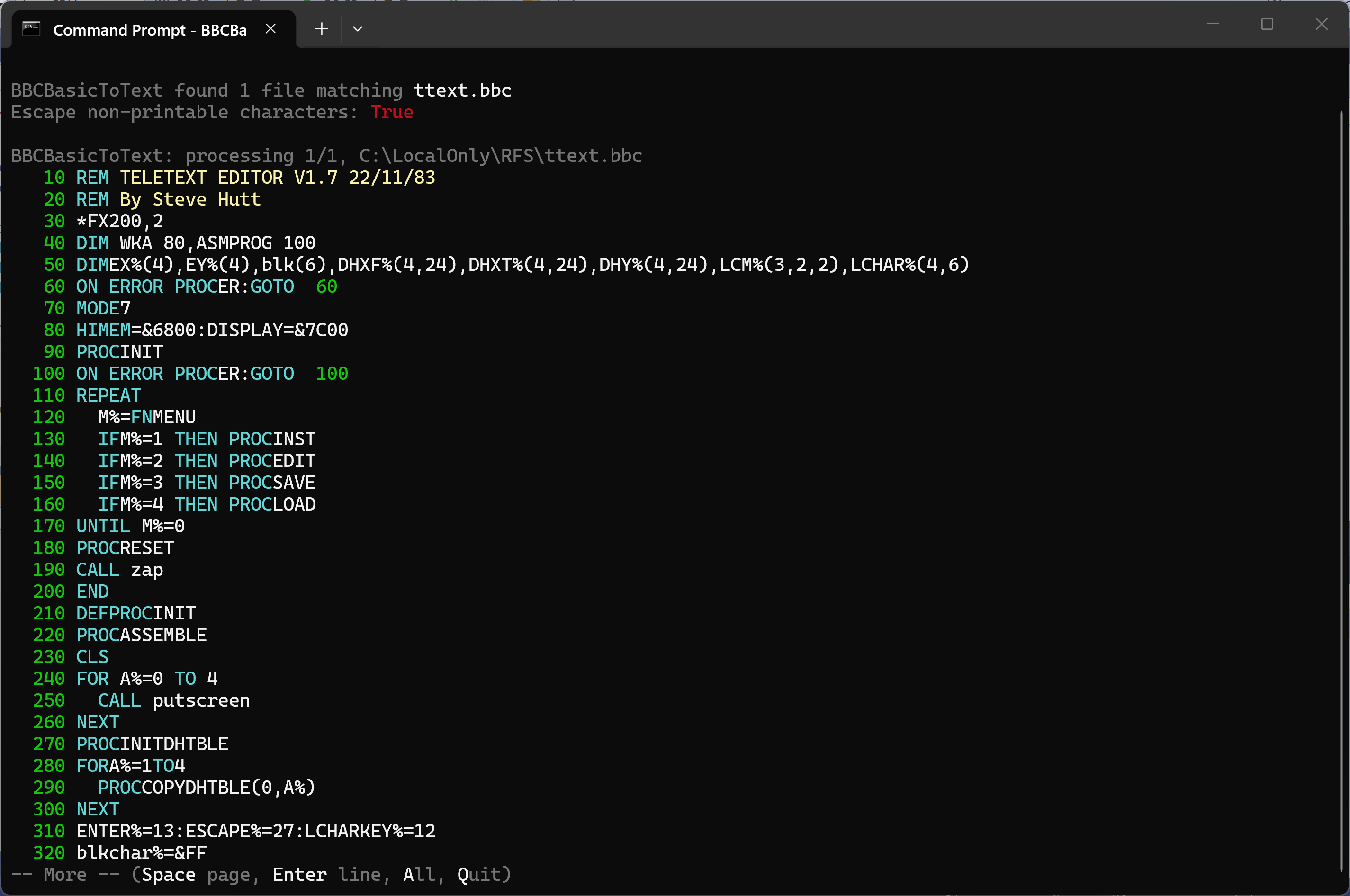
A BASIC listing paused at the end of the first screenful, with the -- More -- prompt
It counts the lines the screen actually shows rather than the lines in the file, so a long DATA statement that wraps onto three rows is counted as three. That matters most for a hex dump, where every line is the same width and a wrapped line would otherwise push a row off the top unnoticed:
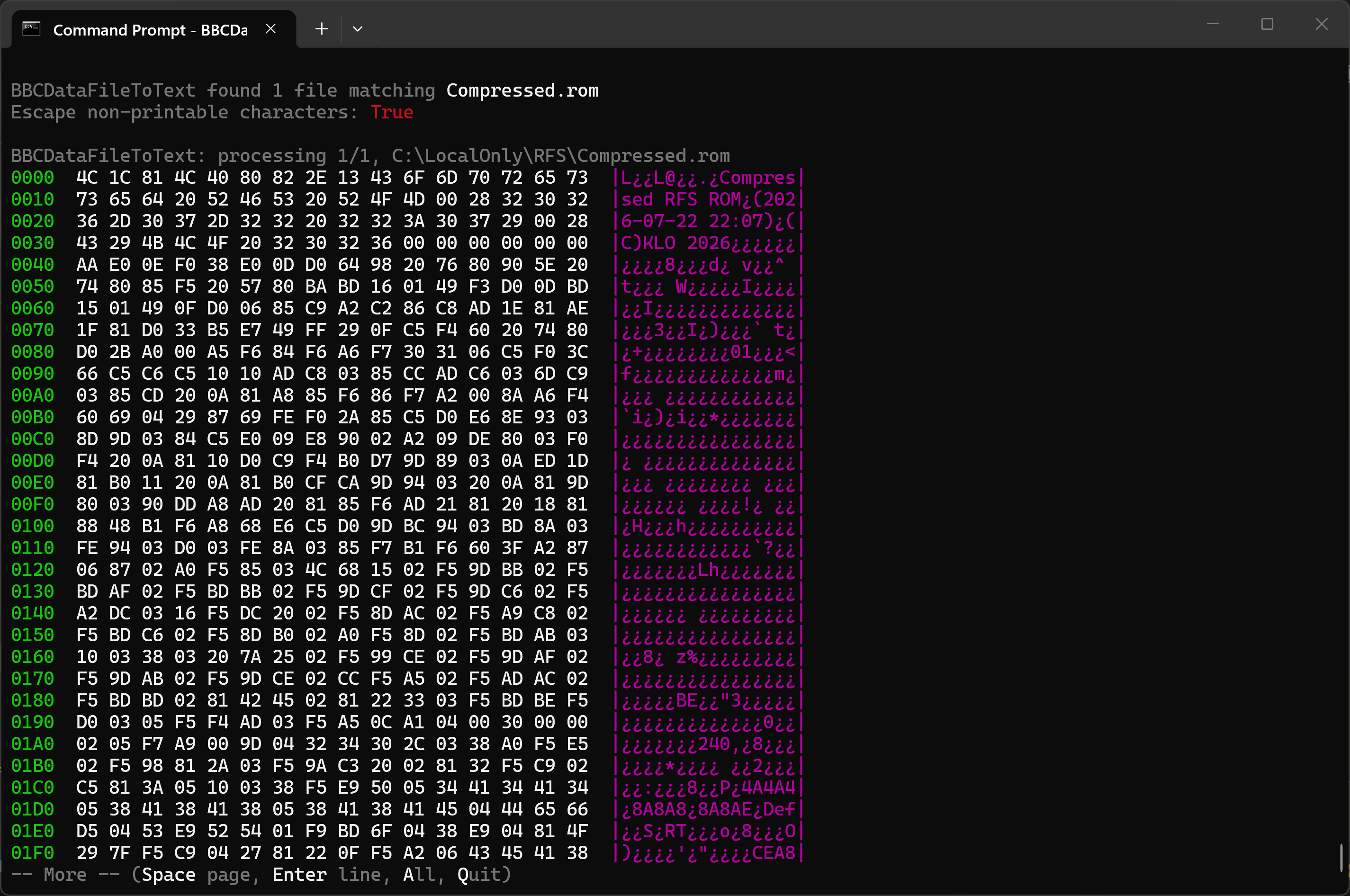
BBCDataFileToText dumping a ROM image in hex, paused at the end of the first screenful
If the output is redirected to a file or piped into another command there is nothing to page, so the option quietly does nothing. That makes it safe to leave in a DOSKEY macro permanently:
--head[=n] — just the beginningShows only the first n lines and stops, which is the quickest way to see what a file actually is. Without a number it shows 20 lines.
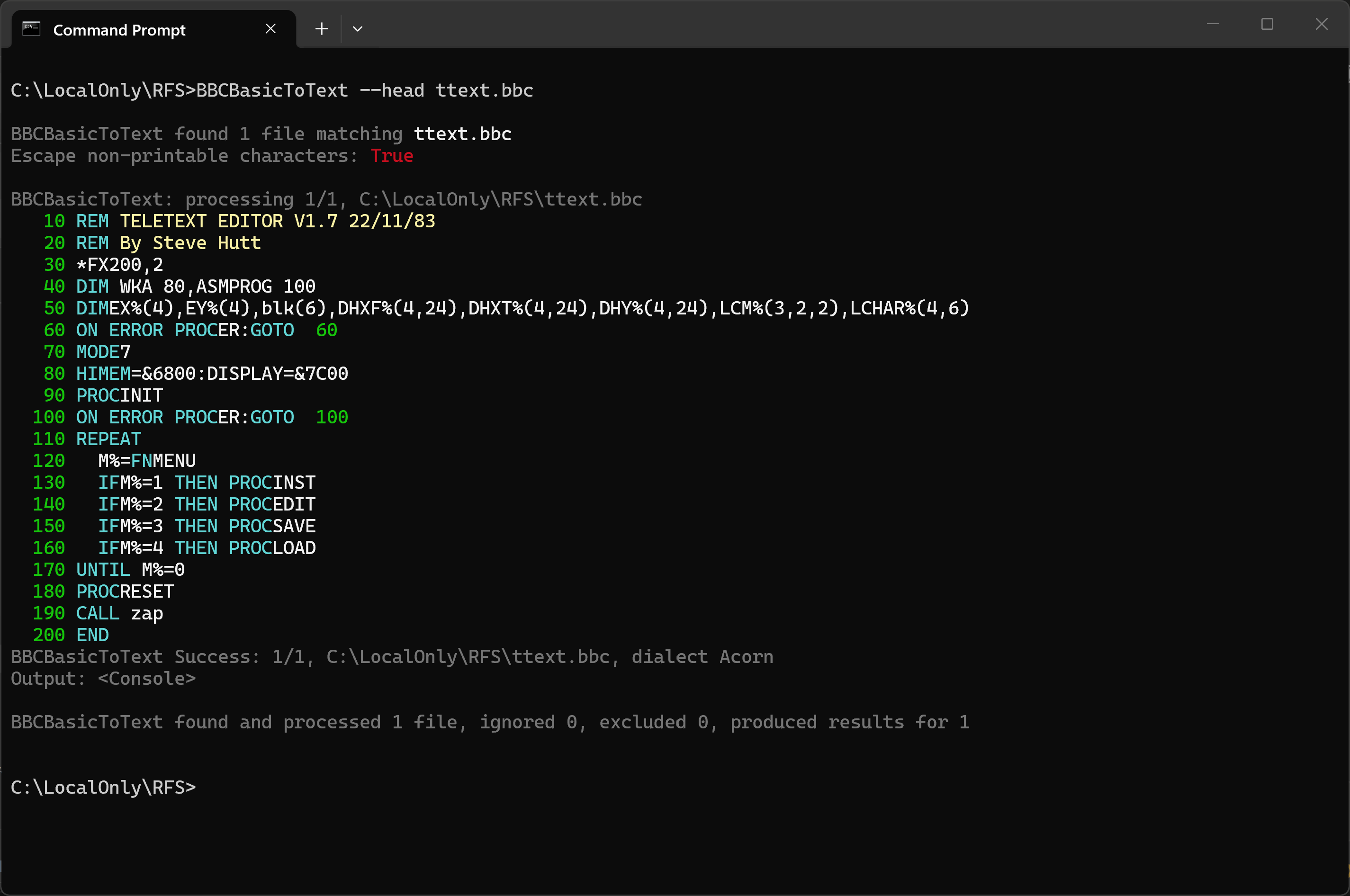
--head showing the first 20 lines of a teletext editor written in 1983
--tail[=n] — just the endShows only the last n lines, again 20 by default, and says how many lines it passed over to get there. For a
hex or ASCII dump it seeks straight to the end of the file rather than reading through the whole thing, so
--tail on a large file is quick no matter how big the file is.
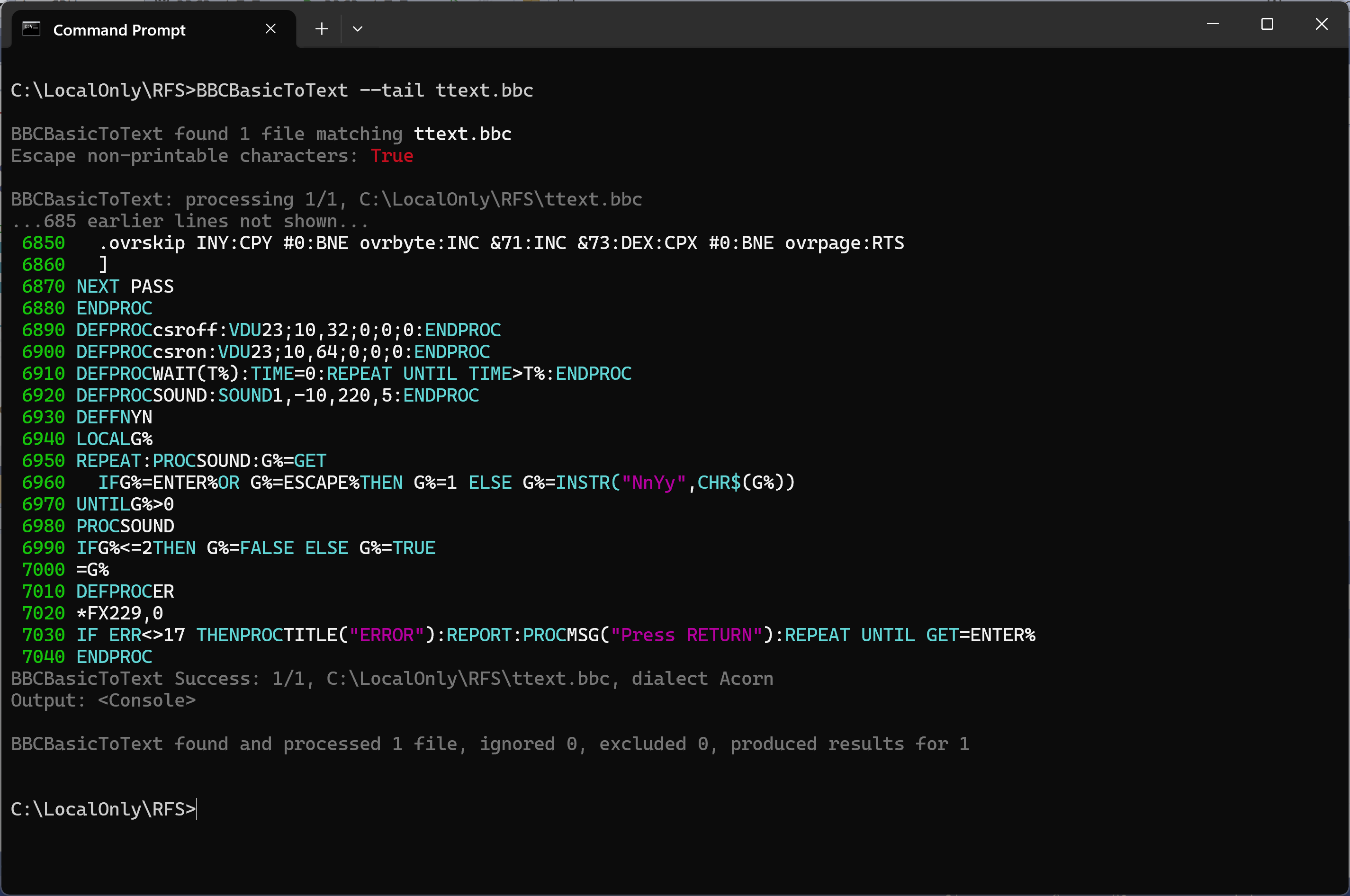
--tail showing the last 20 lines of the same program, having skipped the 685 before them
Both --head and --tail apply to what is shown on screen. If you give the tool an output
file, that file still receives everything.
All three utilities run from a Command Prompt or PowerShell. For example, from a Command Prompt:
BBCBasicToText    "%OneDrive%\Documents\BBCMicro\ARRAYLENSUM.bbc"
BBCDataFileToText "%OneDrive%\Documents\BBCMicro\NAMES"
BBCReadDiskImage  "%OneDrive%\Documents\BBCMicro\Games.dsd"
In PowerShell, use $env:OneDrive in place of %OneDrive%.
BBCReadDiskImage "$env:OneDrive\Documents\BBCMicro\Games.dsd"
Because typing the full command names is tedious, you can create DOSKEY macros in a command file named cmdsetup.cmd:
To run this automatically in every new command window, add the following to the registry by saving it in a file of type .reg and double-clicking it. Always be careful adding .reg files unless you trust their source and know what you are doing - it can be a security risk.
Display a tokenised, binary BBC Micro BASIC file as text, HTML, or bbcode.
Show BBC PRINT# type data files as text, HTML, or bbcode.
Display *CAT-style output of .SSD, .DSD or .IMG disk images, with the ability to export files individually and dump sectors. A .IMG does not say whether it is single- or double-sided, so that is worked out from the image's own catalogue.
Import files into a .SSD, .DSD or .IMG image — creating the image if it does not
exist — and delete files from one, with the side compacted so the space is reclaimed.
View long listings and dumps a screenful at a time with --more, or take just the start or
end with --head and --tail.
Macros can be added automatically to every new command window.
The app can be installed from:
Requires Windows 10 (build 1809) or later, or Windows 11.
You can find my contact details via my PGP key on the KLO Software page.
BBC Micro Utilities is free software.
← Back to KLO Software